
Creative automation and ugc ad scaling for meta | Expert Guide

If your direct-to-consumer brand spends over $50,000 a month on Meta, you are likely hitting a severe creative bottleneck. Meta’s Advantage+ Shopping Campaigns (ASC) are highly efficient, but they aggressively burn through fresh ad creatives in just 7 to 14 days.

To maintain a profitable Return on Ad Spend (ROAS), you cannot simply hire more creators. Instead, you must combine raw user-generated content (UGC) with a creative automation pipeline.

The core metric of success on Meta right now is creative velocity. A single winning UGC video must be systematically broken down into dozens of dynamic variations. By testing different hooks, middle bodies, and end cards, you feed the algorithm exactly what it needs without inflating your production budget.

At NexalGrowth, we build these exact modular video systems for our clients. We solve ad fatigue by turning one raw creator asset into 30 unique, test-ready Meta ads.

Here is exactly how this framework operates, why traditional methods fail, and how you can implement this system to scale your campaigns.

1. The Creative Bottleneck: Why Traditional UGC Fails at Scale

The standard approach to UGC production is highly inefficient for modern media buying. Most brands hire five creators a month, manually edit ten videos, and launch them into an ad account.

This manual process breaks down quickly at scale. When you increase your daily budget, Meta’s machine learning algorithm cycles through those ten videos in a matter of days. Once the target audience sees the same visual hook multiple times, your Click-Through Rate (CTR) drops.

When CTR drops, your Cost Per Click (CPC) rises. This immediately increases your Cost Per Acquisition (CPA), killing your campaign profitability.

Simply hiring 30 creators instead of five does not fix this. It creates a massive logistical nightmare of briefing, managing, and editing. The problem is not a lack of creators; the problem is a lack of an automated asset pipeline.

Understanding this bottleneck changes how you approach creative strategy. The next step is shifting from manual editing to automated variation.

2. What is Creative Automation in UGC? (The NexalGrowth Engine)

Creative automation for UGC separates the raw footage from the final advertising package. You stop thinking of a UGC ad as a single, static video.

Instead, you treat the creator’s raw footage as modular building blocks. The “packaging” consists of dynamic text overlays, changing aspect ratios, AI-generated captions, and distinct first-three-second hooks.

We use a specific mathematical approach to asset generation. One 60-second raw UGC video is sliced into modular components:

  • 5 Distinct Hooks: The critical first three seconds of the video.
  • 2 Middle Bodies: The core value proposition and product demonstration.
  • 3 Call-to-Actions (CTAs): The final offer and end card.

Through batch rendering and automated editing workflows, these components are mixed and matched. 5 hooks multiplied by 2 bodies and 3 CTAs equals 30 unique video variants.

You only paid one creator, but you now have a month’s worth of fresh creative ammunition for your Meta ad sets.

Now that the math makes sense, you need to understand the practical execution in your daily operations.

3. Step-by-Step: Building Your Meta Creative Automation Pipeline

Setting up this engine requires a strict, repeatable process. At NexalGrowth, we structure this into three distinct phases to ensure consistent output.

Phase 1: High-Conversion UGC Briefing You must brief creators for modularity. Do not ask for a single, seamless script. Instead, ask them to film five different opening sentences separately. We use the Problem-Agitate-Solve (PAS) framework. The creator films the “Problem” (the hook) multiple times in different settings. They then film the “Solve” (the product usage) separately. This ensures the raw footage is easy to slice later.

Phase 2: Automated Variant Generation Once the raw files are delivered, they enter the automation workflow. We use batch-processing software to apply dynamic caption burn-ins and format the videos. Every variation is automatically exported into 9:16 for Instagram Reels, 1:1 for the Facebook Feed, and 4:5 for general placements. This removes hours of manual timeline adjustments.

Phase 3: Meta Account Structure Integration You must test these variants without resetting Meta’s learning phase. We upload the modular variants into Dynamic Creative Optimization (DCO) ad sets. Meta automatically tests the 30 variations against each other at a low budget. Once the algorithm identifies the winning combination of hook and text, we extract that specific post ID. We then move that proven winner into our primary Advantage+ scaling campaign.

Building the pipeline gives you the assets. However, analyzing the resulting data is what actually lowers your CPA.

4. The Data Loop: How to Diagnose UGC Performance on Meta

You cannot scale ads on emotion; you must scale them based on specific in-platform metrics. Our automated pipeline allows us to isolate variables and read the data accurately.

Hook Rate (3-Second Video Plays / Impressions): This metric tells you if the first three seconds are stopping the scroll. We look for a benchmark Hook Rate of 35% or higher. If a variant has a 15% hook rate, we immediately swap the opening clip using our modular library.

Hold Rate (ThruPlays / 3-Second Video Plays): This measures the middle body of the UGC. If your hook rate is 40% but your hold rate is under 5%, people are interested but get bored quickly. This data tells us to speed up the pacing or add more b-roll to the middle section.

Outbound CTR and CVR: A high hook rate means nothing if users do not click and buy. We monitor outbound CTR to ensure the creative actually drives purchase intent, not just cheap views.

Applying this strict data diagnosis yields predictable revenue growth, as demonstrated in our active client accounts.

5. Case Study: Scaling D2C Revenue on Meta

To illustrate this, consider a recent D2C client who came to us stuck at $40,000 a month in ad spend. They were experiencing severe creative fatigue. Their CPA would spike every 10 days, forcing them to turn off campaigns.

We immediately stopped their manual video editing process. We sourced three creators and applied the NexalGrowth modular framework.

From those three creators, we generated 90 automated variants. We fed these into a strict DCO testing structure. We isolated the top three winning hooks and scaled them aggressively in an Advantage+ campaign.

The results were immediate. We scaled their ad spend to $200,000 per month while maintaining a 4.2x ROAS. Furthermore, we reduced their creative production turnaround time by 80%.

6. Stop Fighting Ad Fatigue Alone — Partner with NexalGrowth

Manual UGC production is the primary bottleneck preventing growth-stage brands from reaching 7-figure monthly run rates. The Meta algorithm demands volume, and traditional editing cannot keep up.

By implementing creative automation, you regain control over your CPA, reduce creator costs, and maintain a constant flow of fresh, data-backed ads.

If your current agency or internal team is struggling with ad fatigue, it is time to upgrade your system. Partner with NexalGrowth.com today. Let us build, manage, and scale your automated Meta creative engine so you can focus on running your business.
Full Funnel B2B Demand Generation Strategy: Win More Deals Now

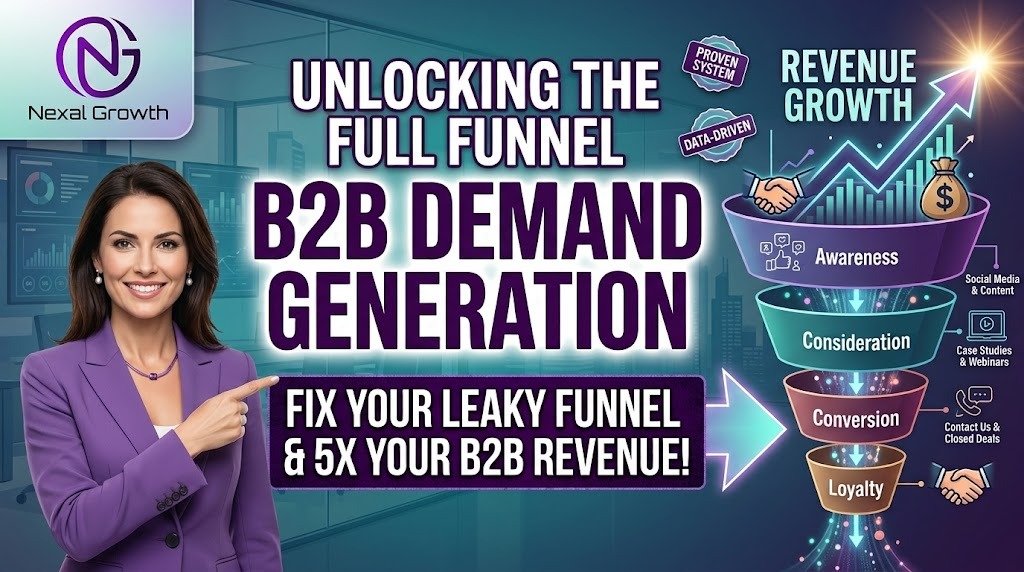
A modern full funnel B2B demand generation strategy connects marketing efforts directly to closed-won revenue, rather than stopping at MQLs (Marketing Qualified Leads). B2B buying cycles now take longer and involve multiple stakeholders. Relying solely on gated ebooks to fill your CRM results in low-intent prospects and frustrated sales teams.

Today, B2B buyers complete up to 70% of their research independently before ever contacting sales. This research happens in “dark social“—private communities, Slack channels, and podcasts where traditional tracking software cannot reach.

To win these buyers, you must shift your focus from simply harvesting emails to actively creating demand, capturing high intent, and accelerating the pipeline. At NexalGrowth, we build this exact revenue-focused framework for tech and service companies to align marketing with sales.

Understanding this shift requires a complete change in how you view the buyer’s journey. Let’s break down exactly how to structure your strategy to drive actual pipeline.

The Difference Between Creating Demand and Capturing Demand

Most B2B companies fail because they spend their entire budget trying to capture demand, completely ignoring demand creation. Research shows that only 5% of your total addressable market is actively looking to buy at any given time. The other 95% still needs your solution, but they require education first.

Here is how the two concepts differ in execution:

FeatureCreating Demand (Top of Funnel)Capturing Demand (Bottom of Funnel)
Primary GoalEducate the market on a problem they didn’t know they had.Position your brand in front of buyers actively searching for a solution.
Target AudienceThe 95% of the market not currently buying.The 5% of the market actively researching vendors.
Key ChannelsLinkedIn organic, podcasts, un-gated industry research.High-intent SEO, paid search, review directories (G2, Capterra).
MeasurementQualitative feedback, direct traffic, branded search volume.Cost per acquisition, pipeline generated, closed-won revenue.

Focusing only on the 5% means you are fighting a brutal price war with your competitors. A full-funnel approach ensures you win the 95% before they even start searching.

3 Stages of a Winning Full-Funnel B2B Demand Generation Strategy

Once you understand the difference between creating and capturing demand, you can build a systematic engine. A successful strategy requires focused action across three distinct stages.

Stage 1: Brand Awareness & Demand Creation (TOFU)

Your goal here is to target the entire buying committee, not just a single persona. A CFO cares about ROI, while an end-user cares about usability. You must create content that speaks to all of them.

  • Actionable Tactic: Distribute un-gated, high-value insights natively on social platforms. Stop forcing users to leave LinkedIn to read your blog. Give them the value immediately in the feed.
  • Channels: LinkedIn organic posts, subject matter expert interviews, and Generative Engine Optimization (GEO) to ensure your brand appears in AI search overviews.
  • Problem Solved: This keeps your brand top-of-mind. When the prospect finally enters a buying cycle, they already trust your expertise.

Stage 2: Intent-Driven Demand Capture (MOFU)

When a prospect moves from education to evaluation, your strategy must pivot to capture that intent. This is where data becomes your most valuable asset.

  • Actionable Tactic: Use intent data tools like Leadfeeder or 6sense to identify which companies are visiting your high-value pages. Combine this with signal-driven outreach based on recent funding rounds or hiring trends.
  • Channels: Deploy retargeting ads strictly to accounts showing intent. Publish high-intent SEO content, such as “competitor alternatives” or “pricing” pages.
  • Problem Solved: This stops your marketing team from wasting ad spend on cold accounts that have zero intention of buying.

Stage 3: Pipeline Acceleration & Sales Alignment (BOFU)

Marketing does not stop when a lead books a meeting. A full-funnel strategy requires marketing to help sales close the deal faster.

  • Actionable Tactic: Run highly targeted Account-based marketing (ABM) sprints. Marketing must supply sales with bottom-of-funnel assets like ROI calculators, competitor battle cards, and highly specific case studies.
  • Problem Solved: This fixes the classic B2B disconnect. Marketing stops blaming sales for failing to close, and sales stops blaming marketing for providing weak leads.

Core Infrastructure: What You Need Before Launching Campaigns

Executing these three stages successfully requires a solid technical foundation. Launching campaigns without this infrastructure leads to disjointed tracking and wasted budget.

First, you must nail your Ideal Customer Profile (ICP). Basic demographics are no longer enough. You need to map out firmographics (company size, revenue) and technographics (what software they currently use). This dictates your entire messaging strategy.

Next, prioritize CRM and RevOps alignment. Your HubSpot or Salesforce setup must accurately track the buyer’s journey across multiple touchpoints. If your tracking breaks between marketing and sales, you cannot measure ROI.

Finally, shift from traditional lead scoring to intent scoring. Downloading a whitepaper does not make someone a qualified lead. Behavior-based scoring—such as attending a webinar and subsequently visiting your pricing page—provides a much more accurate signal of buying intent.

Measuring Success: Metrics That Actually Matter to the C-Suite

To maintain your marketing budget, you must stop reporting on vanity metrics like clicks, likes, or impressions. The C-Suite only cares about business impact.

  • Metric 1: Pipeline Velocity. This measures how fast accounts are moving from initial awareness to closed-won deals. Faster velocity means your demand creation efforts are working.
  • Metric 2: CAC to LTV Ratio. The ratio of Customer Acquisition Cost to Lifetime Value is the ultimate measure of demand generation efficiency. A healthy B2B ratio is typically 3:1 or higher.
  • Metric 3: Sales Qualified Opportunities (SQOs). Shift the marketing goalpost away from MQLs. Marketing should be measured on the actual pipeline revenue generated from highly qualified opportunities.

How NexalGrowth Builds Your B2B Demand Generation Engine

Building this infrastructure in-house requires hiring a dedicated strategist, a RevOps expert, a technical content writer, and a media buyer. This overhead quickly eats into your marketing budget.

At NexalGrowth, we act as your outsourced growth partner. We do not just generate generic website traffic. We align our multi-channel strategy directly with your pipeline and revenue targets to ensure profitable growth.

Our process starts with a deep ICP audit and content mapping session. We then move into multi-channel execution, handling both demand creation and capture. Finally, we provide ongoing optimization based on actual closed-won data, not just lead volume.

Frequently Asked Questions

How long does it take to see results from a full-funnel demand generation strategy?

B2B sales cycles typically take 3 to 6 months to close. You will see leading indicators like increased brand search and higher engagement within the first 60 days, but pipeline impact aligns with your average sales cycle length.

How is demand generation different from lead generation?

Lead generation focuses on capturing contact information quickly, often through gated content. Demand generation focuses on building trust, educating the market, and creating urgency before capturing the buyer when they are ready.

Which channels work best for B2B demand gen?

The most effective mix includes LinkedIn organic for demand creation, high-intent SEO and paid search for demand capture, and targeted content syndication for pipeline acceleration.

Conclusion

A full-funnel b2b demand generation strategy is about playing the long game. You must be present at every stage of the buyer’s journey, offering value long before asking for a meeting. Shifting your focus from lead volume to pipeline quality fundamentally changes how your business grows.

Stop wasting your budget on outdated tactics that fail to close. Book a pipeline strategy call with NexalGrowth today. We will audit your current funnel and build a revenue-focused growth plan tailored to your market.

Programmatic seo vs traditional seo for e commerce: What Wins?

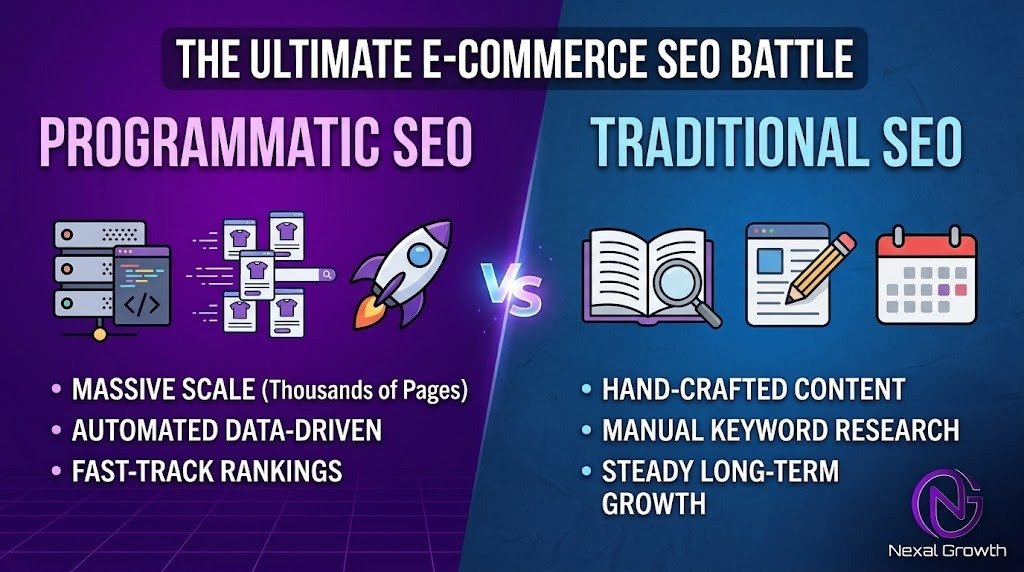
Managing an e-commerce catalog with thousands of SKUs creates a major technical bottleneck. You have to choose between writing unique descriptions for every single product variant or relying on auto-generated pages that search engines ignore. Traditional SEO solves the first problem by building authority for main categories, but it is too slow to scale. Programmatic SEO (pSEO) automates page creation for highly specific queries, allowing you to capture thousands of low-volume searches simultaneously.

Industry data from Ahrefs shows that roughly 92% of all search queries receive fewer than 10 searches per month. These are long-tail keywords. When a buyer searches for “Men’s waterproof North Face winter jacket size L,” they have their credit card in hand. Traditional manual writing simply cannot keep up with every possible size, color, and brand combination your store offers.

At NexalGrowth, we build hybrid e-commerce engines. We use traditional methods to secure competitive head terms and programmatic architecture to scale long-tail revenue. Both approaches are mandatory for capturing the entire market. Here is exactly how to deploy them without ruining your crawl budget.

Traditional SEO for E-Commerce: Dominating the “Head Terms”

Traditional SEO for e-commerce revolves around manual, highly researched content creation. This strategy targets broad search intent. It involves writing comprehensive buying guides, building backlinks, and carefully structuring your core category hubs.

You should deploy traditional SEO exclusively on pages with high search volume and fierce competition. Think of primary category pages like “Men’s Winter Jackets” or educational pillar pages such as “How to Choose a Winter Jacket for Extreme Cold.” These pages require human insight, nuanced copywriting, and a high degree of topical authority to rank against major retail giants.

The primary benefit of traditional SEO is that it builds foundational domain trust. A perfectly optimized, human-written guide signals to search algorithms that your site is a legitimate authority. This captures top-of-funnel browsers who are just beginning their research phase. However, manually building these pages takes weeks of effort per cluster. You cannot physically write 10,000 unique category guides for every attribute in your database.

Programmatic SEO (pSEO) for E-Commerce: Capturing High-Intent Long-Tail Sales

Programmatic SEO allows you to use your existing product database to automatically generate thousands of highly targeted landing pages. Instead of writing pages one by one, you build dynamic templates. These templates pull in real-time data from your Shopify, Magento, or Product Information Management (PIM) system.

The most effective place to use pSEO is within your faceted navigation. When a user filters your products by brand, size, and feature, the system generates a unique, optimized URL for that specific intersection. You instantly create pages for searches like “Red Nike running shoes for flat feet.” This eliminates the massive bottleneck of manual page creation for endless product variations.

This strategy captures bottom-of-the-funnel buyers. Searchers typing in hyper-specific attribute combinations already know exactly what they want to purchase. By scaling these long-tail keyword landing pages programmatically, you intercept buyers at the exact moment of decision. The upfront development time is high, but the marginal cost of creating the 5,000th page is effectively zero.

The E-Commerce Showdown: Which Strategy Does Your Store Need?

You do not have to choose one over the other. The most profitable e-commerce architectures layer both strategies together. To understand how to allocate your resources, review this structural breakdown.

FeatureTraditional SEOProgrammatic SEO (pSEO)
Search IntentBroad, research-heavy, top-of-funnel.Hyper-specific, transactional, bottom-of-funnel.
Time to LaunchMonths per topic cluster.Days to weeks to launch thousands of pages.
Execution ConstraintLimited by human writers and editorial resources.Limited by clean database architecture and engineering.
Cost StructureHigh ongoing cost per page created.High initial setup cost, near-zero cost per additional page.

The Hidden Dangers of E-Commerce pSEO (And How We Prevent Them)

Scaling pages automatically carries significant technical risk if your underlying data architecture is flawed. Many store owners attempt to use automated plugins and accidentally destroy their organic visibility. Programmatic rollouts require strict technical governance to remain profitable.

Danger 1: Index Bloat & Crawl Budget Waste

Search engine bots only allocate a specific amount of time to crawl your website. If you generate 100,000 parameter URLs for every minor price filter or grid view, bots will waste their crawl budget on useless pages. This causes your actual revenue-generating products to fall out of the index. At NexalGrowth, we resolve this through strict canonicalization logic, precise robots.txt rules, and faceted URL control. We only allow search engines to crawl attribute intersections that possess actual search volume.

Danger 2: The “Thin Content” Penalty

Spinning manufacturer descriptions or launching blank template pages with just a few products will result in a thin content penalty. Search algorithms are highly aggressive against duplicate or low-value automated pages. The NexalGrowth fix relies on dynamic data enrichment. We design templates that dynamically pull in live inventory counts, aggregated user reviews, related product grids, and automated FAQs. This ensures every single programmatic page is 100% unique, semantically rich, and genuinely helpful to the searcher.

The NexalGrowth Hybrid Blueprint: Our E-Commerce SEO Methodology

Replacing manual labor with smart technical architecture is how you scale past your competitors. We execute this hybrid model through a strict, four-phase rollout designed specifically for digital growth.

Phase 1: Foundation (Traditional SEO)

We begin by securing your domain authority. We audit your site for technical health, resolve existing keyword cannibalization, and manually build authoritative core category hubs. This establishes the foundation of trust required for the next phases to succeed.

Phase 2: Database Structuring

Automation requires perfect data. We audit and clean your product database, ensuring all tags, meta-fields, and categories are uniform. Without clean database logic, programmatic templates will generate broken or nonsensical pages.

Phase 3: Programmatic Rollout

Our technical team designs high-converting, dynamic templates based on attribute intersections (e.g., Brand + Category + Feature). We deploy these templates across your faceted navigation, instantly creating thousands of optimized landing pages that target ready-to-buy searchers.

Phase 4: Smart Internal Linking

A programmatic page cannot rank if it sits isolated from the rest of your site. We build automated internal linking rules that route authority from your manually built traditional hubs down into the programmatic long-tail pages. This forces search engine bots to discover, crawl, and index your new automated inventory.

E-commerce growth requires both the high-quality human touch of traditional SEO and the massive scale of programmatic automation. Continuing to write manual descriptions for every single product variation limits your revenue potential and burns your resources. Do not trust your store’s complex architecture to basic content writers. Partner with technical e-commerce growth experts who understand how to manipulate crawl budgets and index logic. Book a free e-commerce SEO audit with NexalGrowth today, and we will analyze your catalog to show you exactly how many long-tail revenue opportunities your store is currently missing.

The #1 b2b saas linkedIn ads strategy for high ticket clients

High-ticket B2B SaaS campaigns fail on LinkedIn because marketers optimize for a $50 cost-per-lead instead of pipeline velocity. Selling a $50,000 annual contract requires targeting the entire buying committee, not just end-users. At NexalGrowth, our framework replaces generic lead generation with account-based intent signaling and offline conversion tracking.

The core components of a successful high-ACV strategy are audience architecture, intent layering, sequenced ad formats, and pipeline-driven measurement. You must map campaigns to the Champion, Economic Buyer, and Technical Validator simultaneously. Broad targeting and single-image ads will rapidly drain your ad spend without producing qualified demos.

Data shows that enterprise B2B buying committees now involve six to ten distinct decision-makers. Ignoring this reality leads to stalled deals, high churn, and negative return on ad spend. Transitioning from basic demographic targeting to a precise, multi-layered approach is mandatory for enterprise SaaS growth.

1. Why High-Ticket SaaS Requires a Radically Different Playbook

Most SaaS companies treat a $50,000 per year enterprise solution like a $50 per month self-serve tool. They push aggressive “Book a Demo” ads to completely cold audiences.

This mismatch results in an incredibly high Cost-Per-Click (CPC) and a sales pipeline full of unqualified prospects. High-ticket sales cycles routinely take three to six months to close.

You need an advertising strategy that actively nurtures target accounts over that entire timeline. NexalGrowth shifts the focus entirely toward revenue attribution and pipeline velocity.

We look at how fast an account moves from awareness to closed-won, rather than just celebrating cheap clicks. To execute this effectively, you first need to stop targeting the wrong people.

2. Audience Architecture: Mapping the 4-Part Buying Committee

Targeting only the “end-user” of your software is a massive budget drain. End-users might love the tool, but they do not hold the purchasing power for a high-ticket contract.

You must create distinct, segmented ad campaigns for the actual decision-makers involved in enterprise deals. We start with the Champion, usually a VP of Operations or Marketing.

The Champion needs ads focused on workflow efficiency, team productivity, and making their daily operations faster. Next is the Economic Buyer, typically the CFO, CEO, or Head of Finance.

Your messaging for the Economic Buyer must focus purely on ROI, payback periods, and reducing overhead costs. Finally, you have the Technical Validator, such as the CTO or IT Director.

They require ads addressing data security, CRM integrations, and strict SOC2 compliance. At NexalGrowth, we use OR-grouped title lists layered with exact firmographics to reach these specific people.

This precise targeting setup inside Campaign Manager prevents massive budget leakage. But even the right job title is useless if the company isn’t ready to buy.

3. Signal-Layering: Combining Intent Data with ABM

Broad Ideal Customer Profile (ICP) targeting means your ads show to people who aren’t in an active buying window. This wastes impressions on accounts that will never convert.

This is exactly why implementing account-based marketing is critical for high-ticket SaaS growth. Our NexalGrowth 3-tier signal targeting approach strictly filters out the noise.

Layer one is the foundation of the campaign. We immediately exclude direct competitors, students, and off-ICP company sizes to protect your budget.

Layer two focuses on high-intent website retargeting. We do not retarget every single website visitor, as that is highly inefficient.

Instead, we only retarget users who spent over two minutes on your pricing page or read a bottom-of-funnel case study. Layer three is the CRM Sync, connecting your sales data to your ads.

We integrate HubSpot or Salesforce directly with LinkedIn to run tailored ads to accounts currently stuck in your sales pipeline. Once you have the right accounts cornered, you need the right ad formats.

4. The High-Ticket Funnel: Matching Ad Formats to Pipeline Stages

Using generic Single Image Ads for every single stage of the buyer’s journey causes severe ad fatigue. It also results in plummeting conversion rates over long enterprise sales cycles.

You need a sequenced orchestration of ad formats based precisely on where the account sits in the pipeline. At the Top of Funnel, we use Thought Leader Ads to build authority.

These ads promote organic posts from your founders or executives directly to your target accounts. We also deploy ungated Document Ads containing industry benchmark reports to build immediate trust.

In the Middle of Funnel, we shift to Video Ads showcasing detailed case studies and direct competitor teardowns. This builds validation and a sense of missing out on industry advancements.

For the Bottom of Funnel, we deploy Conversation Ads and Native Lead Gen Forms. These are sent only to warm leads using soft calls-to-action like “See How It Works.”

Choosing the right format is just the delivery mechanism. Your actual ad copy is what ultimately closes the gap.

5. Creative & Messaging That Defeats “Feature Parity”

Every single B2B SaaS company claims to be “AI-powered,” “seamless,” and an “all-in-one platform.” When every competitor uses the exact same buzzwords, enterprise buyers ignore all of them.

You must sell the clear business outcome, not just a list of software features. A visual “Before vs. After” ad effectively shows the manual process your software eliminates.

Our SaaS copywriting formula is simple and highly effective: Pain Point plus Outcome plus Specificity. Instead of saying you have “Better CRM tools,” we use exact scenarios.

We write: “Reps losing 6 hours a week to CRM admin? Fix it in one sprint.” This speaks directly to the operational pain of the Champion.

Great creative drives highly qualified clicks to your landing pages. But you still need to know if those clicks are actually turning into closed-won revenue.

6. Measurement: Optimizing for Closed-Won Revenue, Not CPL

Many digital marketing agencies brag about achieving a low Cost-Per-Lead (CPL). But high-ticket SaaS companies do not need 100 unqualified leads at $15 each.

You need two highly qualified $500 leads that eventually sign a $100,000 enterprise contract. NexalGrowth implements Offline Conversion Tracking (OCT) to fix this exact attribution problem.

OCT feeds actual sales data from your CRM directly back to LinkedIn’s native bidding algorithm. This trains LinkedIn to optimize and bid based on Sales Qualified Leads (SQLs).

We stop optimizing for basic form fills and start optimizing for pipeline generation. High-ticket campaigns also require sustained daily spend to outlast long sales cycles.

Setting realistic budget floors ensures you stay in front of the buying committee until they are ready. Shifting from lead volume to pipeline velocity is the ultimate growth lever.

7. Conclusion: Scale Your SaaS Revenue with NexalGrowth

High-ticket SaaS marketing on LinkedIn is never about getting cheap clicks. It is entirely about proving pipeline and generating measurable enterprise revenue.

NexalGrowth’s implementation process starts with a deep Ecosystem Audit of your current assets. We then move to Audience Mapping and finish with full RevOps Integration.

We build sophisticated systems that turn your LinkedIn ad spend from a monthly expense into a revenue engine. If your current ads are bringing in low-quality leads, your strategy needs an overhaul.

It is time to align your paid acquisition with your actual enterprise sales motion. Reach out to the digital marketing experts at NexalGrowth to secure your high-ticket SaaS pipeline.

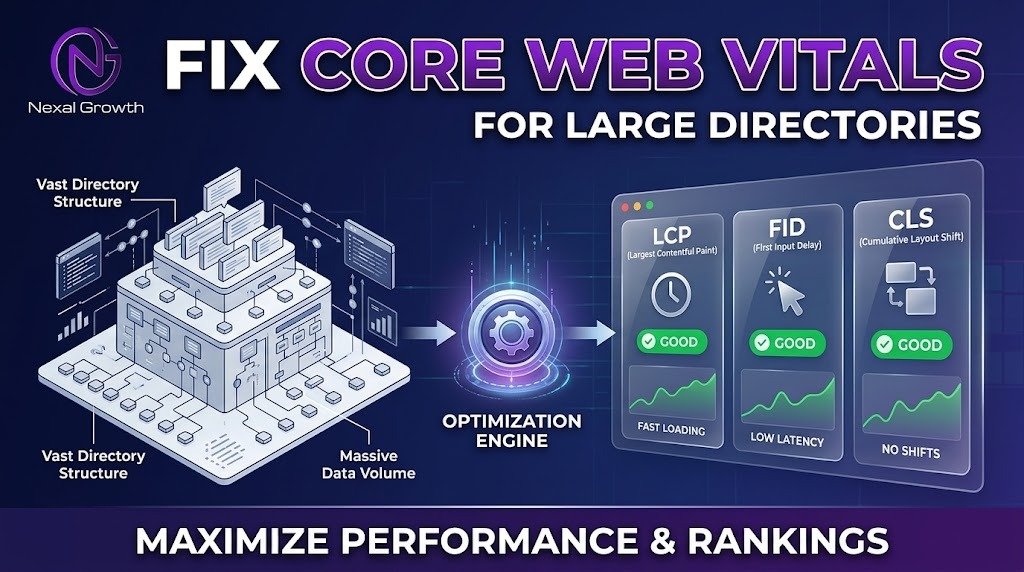
Hire core web vitals optimization service for large directories

Large directory websites bleed organic traffic and user retention when their database-heavy architecture fails Google’s Core Web Vitals (CWV) assessment.

Job boards, real estate aggregators, and local business directories face a unique set of technical hurdles that standard blogs never encounter. A directory relies on millions of programmatic pages, complex faceted search filters, and unpredictable user-generated content (UGC). When these elements drag page load times down, Google suppresses the domain’s search visibility in favor of faster, more stable competitors.

To pass the official assessment, a site must serve a Largest Contentful Paint (LCP) under 2.5 seconds, an Interaction to Next Paint (INP) under 200 milliseconds, and a Cumulative Layout Shift (CLS) below 0.1 for at least 75% of logged user sessions. Hitting these benchmarks across 500,000 dynamically generated URLs requires deep structural engineering, not a basic WordPress caching plugin.

At NexalGrowth.com, we engineer template-level performance fixes, optimize backend database query bottlenecks, and stabilize dynamic web layouts for enterprise-scale directories. We fix the root architectural issues causing poor performance to restore your organic search visibility and maximize user conversion.

Why Standard CWV Tactics Fail on Large Directory Sites

Standard web optimization advice is completely ineffective for a massive directory platform.

Generic page-caching plugins are designed for static articles, not dynamic inventory. Aggressive caching on a directory often breaks live inventory availability, dynamic pricing, localized maps, and logged-in user dashboard experiences.

You cannot manually optimize individual pages when dealing with scale. If your platform programmatically generates locations and categories (e.g., /plumbers-in-chicago/ or /3-bedroom-apartments-london/), optimization must happen at the server and global template level.

Furthermore, directories rely heavily on third-party scripts to monetize and function. Map APIs, header bidding ad networks, and behavioral tracking pixels actively block the browser’s main thread and destroy Core Web Vitals if not meticulously managed.

Conquering LCP on Location & Listing Pages

Largest Contentful Paint measures when the primary visual element of a page renders. On directory listing pages, this is usually a hero section pulling unoptimized, user-uploaded business logos or property photos.

Compounding this problem is slow server response times, formally known as Time to First Byte (TTFB). If the server takes two seconds to query the database, achieving a sub-2.5-second LCP is mathematically impossible.

Optimizing Database Queries & TTFB

We target TTFB by optimizing how your relational database indexes and retrieves information.

When a user requests a dynamic route, the server must pull location data, category parameters, and active listings simultaneously. We restructure these queries and implement object caching so dynamic routing retrieves payload data in milliseconds.

CDN-Level Image Optimization for UGC

User-generated content introduces massive unpredictability to your performance metrics. Businesses upload 8MB uncompressed images to their directory profiles, crippling the LCP score for that specific template.

We solve this by routing all UGC through dynamic Content Delivery Networks (CDNs). The CDN automatically intercepts heavy uploads, compresses them, and serves next-gen formats like WebP or AVIF based on the visiting user’s browser capabilities.

Preloading Critical Assets

For a location search result template, the browser must know exactly what to prioritize.

We implement advanced resource hinting to preload the exact hero image and primary text block in the DOM (Document Object Model). By instructing the browser to fetch the LCP element before executing heavy JavaScript, the perceived load time drops drastically.

Fixing INP on Complex Search & Filter Pages

Interaction to Next Paint measures how quickly a browser responds to a user’s click or keystroke. Faceted searches, like filtering by price, rating, or distance, are notorious for failing this metric.

When a user checks a filter box, poorly coded JavaScript forces the browser to freeze while it recalculates the entire page DOM.

Yielding the Main Thread for Map Modules

Interactive map modules (such as Google Maps or Mapbox) execute massive amounts of JavaScript upon loading.

We defer these map initializations until after the core page layout renders and yields the main browser thread. This ensures the page remains instantly interactive for users trying to click text links or open menus while the map finishes loading in the background.

Debouncing API Calls in Faceted Search

When users rapidly click multiple filter checkboxes on a directory, it triggers a flood of API requests that lock up the browser.

We implement JavaScript debouncing and throttling algorithms. This strategy groups rapid user inputs into a single delayed execution, preventing the browser thread from freezing and keeping your INP score safely under the 200ms threshold.

Managing Third-Party Scripts

Directories require analytics, live chat integrations, and monetization scripts.

We methodically delay all non-critical third-party scripts. By pushing execution until after user interaction (or delaying by several seconds), the browser prioritizes rendering the core directory UI and responding to the user’s initial input.

Eliminating CLS from Ads and Dynamic Grids

Cumulative Layout Shift occurs when elements move unexpectedly during page load. Directories rely heavily on programmatic ad revenue and asynchronous loading for infinite-scroll listings, which causes violent layout jumps.

A high CLS frustrates users who attempt to click a listing, only to have the layout shift and cause an accidental ad click instead.

Hardcoding Aspect Ratios for Ad Slots

Programmatic ads load unpredictably from header bidding auctions.

We write CSS architectures that reserve exact pixel dimensions for Google AdSense and third-party ad slots. By carving out a permanent, hardcoded container for the ad, the surrounding content remains perfectly stable even when the banner takes three seconds to render.

Stabilizing Grid Layouts

Infinite scroll and pagination grids often shift as text lengths and image sizes vary across different business listings.

We lock in the dimensions of business listing cards using modern CSS Grid and Flexbox parameters. This ensures that regardless of the data populating the card, the overall grid geometry remains rigid, guaranteeing a smooth scrolling experience.

The NexalGrowth Process: From Technical Audit to Deployment

Fixing enterprise-level directory platforms requires a precise, data-driven methodology to avoid disrupting live traffic.

Step 1: CrUX Data & Template Grouping

We do not waste time guessing. We extract 28-day historical data from the Chrome User Experience Report (CrUX) and Google Search Console. This isolates precisely which URL templates (e.g., category pages vs. individual business listings) are failing specific CWV metrics.

Step 2: Staging Environment Replication

Directory databases are highly complex and sensitive.

We duplicate your entire platform into an isolated, secure staging environment. This allows us to safely execute and test heavy structural changes to the database and code without risking user experience on the live site.

Step 3: Code Refactoring & Implementation

Our engineers rewrite bloated CSS and JavaScript directly within your theme or web application. We optimize server queries, implement resource hinting, and rebuild layout containers to meet Google’s exact technical specifications.

Step 4: Post-Deployment Monitoring

Core Web Vitals are evaluated on a rolling 28-day cycle based on real user data. After deployment, we monitor the CrUX dataset rigorously to validate that the technical fixes successfully translate to passing field scores for real-world visitors.

Why Choose NexalGrowth for Directory SEO?

We specialize in solving complex, structural SEO bottlenecks that generic agencies ignore.

Our team possesses deep expertise in technical site audits, algorithm penalty recovery, and advanced schema markup for local businesses. We understand how to navigate complex CMS environments, massive relational databases, and custom-built directory applications. We solve the root architectural causes of poor performance, rather than applying temporary patches that break under scale.

Stop Bleeding Organic Traffic—Request Your Technical Audit

Failing Google’s Core Web Vitals directly caps your organic search potential and frustrates your existing user base.

Stop losing traffic to faster, optimized competitors. Contact NexalGrowth.com today to request a comprehensive technical CWV audit for your directory. We will map the exact bottlenecks in your architecture and execute a precise, template-level roadmap to secure passing scores and scalable growth.

Free local seo client onboarding questionnaire template [2026]

A local SEO client onboarding questionnaire template is a standardized form used to collect essential business data before starting a campaign. You need this to secure Google Business Profile (GBP) access, verify physical addresses, and document historical business information. Without it, your campaign will stall before it even begins.

Missing this critical data causes immediate delays in execution and strategy. Industry data shows that businesses with complete and accurate Google Business Profiles are 2.7 times more likely to be considered reputable by consumers. You need exact details upfront to prevent inconsistent directory listings from damaging the client’s local rankings.

Over the last two years of executing technical audits, recovering sites from ranking penalties, and managing local search campaigns, I have learned that a strict onboarding process is non-negotiable. Standardized questionnaires prevent scope creep and eliminate weeks of back-and-forth emails. Below is the exact framework required to extract technical credentials and local business nuances right out of the gate.

Now that the immediate requirements are clear, it is important to understand why local campaigns demand specialized data collection.

Why Local SEO Onboarding Requires a Completely Different Approach

General search engine optimization focuses on capturing organic traffic on a national or global scale. Local SEO requires highly granular, geographic data to succeed. A standard SEO questionnaire completely ignores the specific trust signals required to dominate a local market.

You must gain access to localized platforms like Google Business Profile, Apple Maps, and Bing Places. National campaigns rarely rely on these directories. Furthermore, inconsistent Name, Address, and Phone number (NAP) data is the primary killer of local visibility.

You must uncover a client’s historical business addresses and phone numbers. If a client moved locations two years ago, old directory listings will confuse search engines and dilute your ranking efforts.

Understanding these differences sets the stage for the specific questions you must ask your new clients.

The Complete Local SEO Client Onboarding Questionnaire

You can copy and paste the following questions directly into your agency’s onboarding software. This template is designed to gather comprehensive data without overwhelming the business owner.

1. Core Business & NAP Consistency

You cannot build accurate local citations or fix bad directories without precise foundational data. This section establishes the baseline for all local map pack optimization.

  • What is your exact, legally registered business name?
  • What is the exact physical address of your location(s), including suite or unit numbers?
  • Have you ever operated under a different business name, address, or phone number in the past five years?
  • What is your primary local phone number? (Avoid toll-free numbers if possible).
  • What are your exact operating hours and holiday closure schedules?

2. Platform Access & Credentials

This section eliminates communication delays. You cannot optimize digital assets that you cannot access.

  • Are you the primary owner of your Google Business Profile?
  • Please grant Manager access to our agency email address.
  • Please provide administrator access to your website CMS (WordPress, Shopify, etc.).
  • Please share access to your Google Analytics (GA4) and Google Search Console accounts.
  • Do you have existing logins for primary local directories like Yelp, Nextdoor, or Angi?

3. Target Audience & Hyper-Local Competitors

These questions dictate your localized content strategy and map pack ranking priorities. You need to know exactly where the client wants to generate revenue.

  • What are the top three highest-margin services or products you want to promote?
  • What specific cities, neighborhoods, or zip codes represent your primary service area?
  • Do you serve customers at your physical address, or do you travel to them?
  • Who are the top three local competitors you constantly see outranking you in Google Maps?

4. Reputation Management & Media Assets

Reviews and localized imagery are massive ranking factors for local search. Search engines rely on user-generated content and real photos to verify a business’s legitimacy.

  • How do you currently request customer reviews? (Automated software, email, or manual requests?)
  • Can you provide a shared folder link with high-resolution, unedited photos of your building’s exterior?
  • Do you have original photos of your team working or your branded company vehicles?

5. SEO History & Red Flags

This final section prevents you from inheriting penalized websites or repeating failed strategies. Knowing a client’s history is crucial for setting realistic timelines.

  • Have you worked with a digital marketing or SEO agency in the past?
  • Has your Google Business Profile ever been suspended or flagged for quality issues?
  • Have you previously purchased bulk backlinks, Fiverr gigs, or automated directory blasts?

Once you have customized this template, you need a system to ensure clients actually fill it out on time.

How to Implement This Template

Sending a massive text document will cause client fatigue and delay your project kickoff. You must streamline the delivery process. Set this questionnaire up in a digital format using tools like Google Forms or Typeform.

This allows answers to automatically populate into your project management software. Send the questionnaire within 24 hours of the contract signing. Establish a firm three-day deadline for completion to maintain project momentum.

While reviewing the submitted answers, pay close attention to potential roadblocks that could derail your campaign.

3 Red Flags to Watch For in Client Answers

Client responses often reveal underlying issues that require immediate attention. Identifying these early protects your agency’s margins and reputation.

1. The client does not own their GBP. Often, a previous agency or a former employee holds the profile hostage. You must initiate the profile recovery process immediately before doing any other work.

2. The client lacks a verifiable physical address. Clients sometimes want to rank in a highly profitable neighboring city where they do not have an office. Google’s guidelines strictly prohibit using P.O. boxes or virtual offices to manipulate local rankings.

3. The client refuses to participate in review generation. Local SEO requires operational support from the client. If they refuse to ask happy customers for reviews, your ability to rank them in the highly competitive map pack will be severely limited.

Scale Your Agency Operations with NexalGrowth

A standardized onboarding process is only the first step in a successful client relationship. Consistent execution and technical fulfillment are what actually drive long-term retention. Managing citation cleanups, metadata optimization, and content creation for multiple local clients requires significant resources.

Stop letting fulfillment bottlenecks slow down your agency’s expansion. NexalGrowth provides premium, white-label SEO services and dedicated SEO teams tailored for growing agencies. You manage the client relationships and onboarding processes. Our specialists handle the heavy liftinbg, technical audits, and daily execution required to get your clients dominating the map pack. Visit NexalGrowth today to explore our partnership solutions.

advanced schema markup implementation for e commerce [10X ROI]

Standard e-commerce plugins usually generate disconnected, flat structured data that search engine crawlers struggle to interpret accurately. When Product, AggregateRating, Offer, and Organization are output as independent blocks on the same page, search engines must infer their relationships, which frequently leads to omitted rich results or validation warnings.

Search industry analyses indicate that properly qualified rich snippets can increase click-through rates by 20% to 30%. However, independent audits reveal that more than 48% of enterprise e-commerce sites display critical schema warnings or price discrepancies between their structured data and their live pages.

To secure persistent rich results—such as price ranges, real-time stock levels, rating stars, and shipping badges—you need a centralized entity graph. This guide details how to build dynamic, nested JSON-LD architectures that eliminate data duplication, handle complex variant SKUs, and keep Google Search Console free of errors.

1. The Core Architecture: Nesting Entities Beyond Flat Code

Flat schema treats every concept on a page as an isolated record. When an e-commerce platform outputs an independent Product node followed by an unlinked Review block, Google’s parser cannot reliably confirm that the review belongs exclusively to that specific product.

To resolve this ambiguity, you must build a single, hierarchical graph. Secondary entities should sit directly inside the primary node as child properties, or they must be connected across the page using explicit @id URIs.

JSON

{
  "@context": "https://schema.org",
  "@graph": [
    {
      "@type": "Product",
      "@id": "https://example.com/products/leather-boots#product",
      "name": "Classic Leather Chelsea Boots",
      "image": "https://example.com/images/boots.jpg",
      "description": "Handcrafted full-grain leather boots with Goodyear welt.",
      "sku": "BOT-CL-01",
      "mpn": "96014",
      "brand": {
        "@type": "Brand",
        "name": "Artisan Footwear"
      },
      "aggregateRating": {
        "@type": "AggregateRating",
        "ratingValue": "4.8",
        "reviewCount": "124"
      },
      "offers": {
        "@type": "Offer",
        "@id": "https://example.com/products/leather-boots#offer",
        "url": "https://example.com/products/leather-boots",
        "priceCurrency": "USD",
        "price": "245.00",
        "priceValidUntil": "2027-12-31",
        "itemCondition": "https://schema.org/NewCondition",
        "availability": "https://schema.org/InStock"
      }
    }
  ]
}

Notice how aggregateRating, brand, and offers live inside the primary Product node. The @id property acts as a persistent anchor, ensuring that external internal references—such as breadcrumb lists or sitewide merchant signals—point to the exact same database entity without redundant declarations.

Once your primary entity hierarchy is established, you can address the operational challenges that break standard setups: variants, fulfillment policies, and rich media assets.

2. Solving Complex E-Commerce Challenges

A. Handling Variable Products with ProductGroup

Variable products (items with multiple colors, sizes, and price tiers on a single URL) regularly trigger Google Search Console errors. Outputting all variants as independent Product nodes causes duplicate content alerts, while outputting only the base product ignores variant-specific pricing and inventory.

The industry-standard solution is the ProductGroup schema. It models the parent catalog item and links child variants through the hasVariant array:

  • Parent Definition: Assign @type: "ProductGroup" to the main item.
  • Variant Attributes: Declare what differentiates the variants using variesBy (e.g., [https://schema.org/size](https://schema.org/size), [https://schema.org/color](https://schema.org/color)).
  • Child Listings: Nest each distinct variant inside hasVariant as an individual Product node containing its own unique sku, gtin13, specific image, and corresponding Offer.

This structure allows Google to display accurate price ranges directly in search results and align snippet data with user-selected filters on the page.

B. Shipping and Return Policy Integration

Google displays visual incentives—such as “Free 2-day delivery” and “Free 30-day returns”—directly in standard organic search listings. Sites that fail to declare structured return and shipping metadata lose these trust badges to competitors.

You can explicitly state these rules using OfferShippingDetails and MerchantReturnPolicy directly inside your Offer node:

JSON

"hasMerchantReturnPolicy": {
  "@type": "MerchantReturnPolicy",
  "applicableCountry": "US",
  "returnPolicyCategory": "https://schema.org/MerchantReturnFiniteReturnWindow",
  "merchantReturnDays": 30,
  "returnMethod": "https://schema.org/ReturnByMail",
  "returnFees": "https://schema.org/FreeReturn"
},
"shippingDetails": {
  "@type": "OfferShippingDetails",
  "shippingRate": {
    "@type": "MonetaryAmount",
    "value": "0.00",
    "currency": "USD"
  },
  "shippingDestination": {
    "@type": "DefinedRegion",
    "addressCountry": "US"
  },
  "deliveryTime": {
    "@type": "ShippingDeliveryTime",
    "handlingTime": {
      "@type": "QuantitativeValue",
      "minValue": 0,
      "maxValue": 1,
      "unitCode": "DAY"
    },
    "transitTime": {
      "@type": "QuantitativeValue",
      "minValue": 2,
      "maxValue": 3,
      "unitCode": "DAY"
    }
  }
}

Supplying these values on-page reduces friction, lowers bounce rates from price-sensitive shoppers, and protects your feed from being flagged for policy mismatches in the Merchant Center.

C. Embedding Product Demonstration Media

E-commerce brands invest heavily in demonstration videos and 3D product previews, but these assets are frequently ignored by search crawlers when served through client-side JavaScript players.

Nesting a VideoObject directly within your Product graph makes the asset visible to video search crawlers. Define properties such as thumbnailUrl, uploadDate, and contentUrl. Where helpful, supply the hasPart property to specify clip timestamps (e.g., unboxing, sizing details, assembly steps) so Google can render interactive seek points in search results.

3. Technical Implementation Workflows

Writing valid JSON-LD is only half the battle; the delivery method dictates whether search engines process your data efficiently.

Deployment StrategyPerformance & RenderingMaintenance OverheadBest Use Case
Server-Side Rendering (SSR)Immediate parsing; zero execution delay for crawlers.Requires access to backend templates (Next.js, Liquid, Blade).Enterprise platforms, headless setups, large catalogs.
DataLayer via Google Tag ManagerAsynchronous execution; relies on crawler JavaScript rendering.Flexible; can be updated without core code deployments.Legacy CMS stacks where direct template edits are restricted.
CMS Plugins / ExtensionsVariable quality; frequently injects outdated Microdata or duplicate tags.Low setup effort, but high technical debt over time.Small, non-customized product catalogs.

The Server-Side Priority

Server-Side Rendering is the most reliable method for enterprise stores. Injecting the completed JSON-LD block into the initial HTML <head> ensures that web crawlers evaluate your schema during their initial crawl pass, avoiding reliance on deferred JavaScript rendering queues.

Eliminating Duplicate Microdata

Many modern Shopify, Magento, or WooCommerce themes ship with legacy Microdata attributes hardcoded directly into the HTML templates (such as itemscope and itemtype). When you inject a custom JSON-LD script on top of these templates, search engine parsers often detect two conflicting product definitions on the same URL.

Before deploying an advanced JSON-LD framework, sanitize your theme templates by stripping out inline Microdata and RDFa tags. Your JSON-LD should be the single, authoritative source of structured truth on every page.

4. Auditing, Validation, and Feed Synchronization

Structured data is dynamic; changes in catalog pricing, inventory levels, or template code can introduce silent validation errors.

  1. Schema Markup Validator vs. Rich Results Test: Use the Schema Markup Validator to verify pure semantic correctness according to Schema.org standards. Use Google’s Rich Results Test to confirm that your pages meet Google’s specific display criteria and feature requirements.
  2. Fixing Recurrent Schema Warnings:
    • priceValidUntil: Always dynamically generate a forward-looking expiration date (e.g., end of the current calendar year) for regular products.
    • itemCondition: Always point to an explicit schema URL ([https://schema.org/NewCondition](https://schema.org/NewCondition)), not a plain string value.
    • hasMerchantReturnPolicy: Address missing policy flags by standardizing return parameters across your store templates.
  3. Synchronizing with Google Merchant Center: Search engines cross-reference structured data with product feed data. If your JSON-LD displays a price of $245 while your Merchant Center feed lists $275, Google may issue automatic item disapprovals or account warnings. Ensure both systems draw from the same real-time inventory database.

5. Strategic Deployment with NexalGrowth

Advanced structured data requires continuous maintenance as product lines evolve, platform templates update, and search engine specifications adapt.

At NexalGrowth, our technical team designs and implements custom schema architectures for growing and enterprise e-commerce brands. We replace fragile, bloated plugins with streamlined server-side implementations, configure automated validation checks, and harmonize your on-page data with your product feeds.

If your e-commerce store is losing rich snippets, generating search console warnings, or struggling to represent variant catalogs accurately, audit your structured data architecture and implement a clean, connected entity graph.

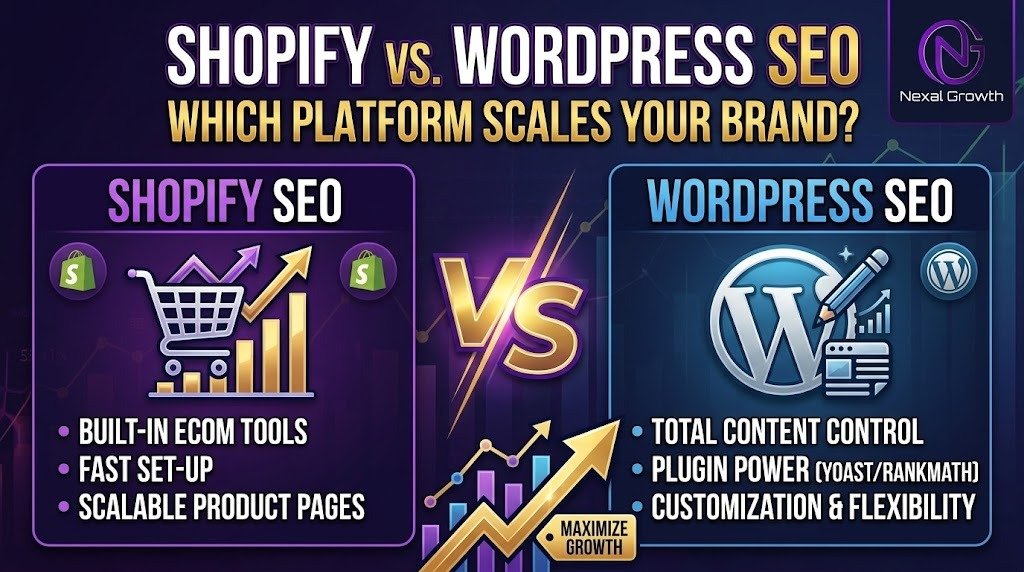
Shopify SEO vs WordPress SEO for Scaling Brands: The #1 Pick!

Choosing the wrong platform for your specific business model will cost you thousands in development and lost opportunity. Scaling an e-commerce brand requires a robust foundation that handles 10,000+ SKUs, complex architecture, and high traffic without breaking.

The reality is that 43% of all e-commerce traffic comes from organic search. It is the most profitable acquisition channel for retail brands. Yet, founders waste months debating basic meta tags instead of solving enterprise-level challenges like technical bloat and execution bottlenecks.

Let’s address the core issue right now. The platform itself is rarely your bottleneck; your execution is. Shopify provides out-of-the-box scale with zero server maintenance. WordPress provides total architectural control at the cost of high technical debt.

This breakdown reveals the actual technical and financial differences between these platforms so you can make a profitable, data-backed decision.

The $50,000 Question: Does Your Platform Actually Matter for SEO?

Brands frequently spend $5,000 to $50,000 migrating platforms just to fix flatlining organic traffic. They expect a new content management system to act as a magic ranking bullet.

In reality, over 60% of SEO ranking factors are completely platform-agnostic. Backlink profiles, content depth, user experience, and search intent matter far more than your codebase. Both Shopify and WordPress can hit the #1 spot for hyper-competitive terms today. Search engines index clean HTML, regardless of which database generated it.

Frame the debate differently. It is not about “Good SEO versus Bad SEO.” The true battle is Simplicity versus Total Control. When you scale past a $1M run rate, managing resources becomes critical. Organic search generates an 8x return compared to PPC, meaning your technical foundation must support rapid growth without requiring constant fixes.

The Technical SEO Showdown (Managing 10,000+ SKUs)

Shopify’s Technical Engine: Out-of-the-Box Scale

The Good:

Shopify is built to handle massive traffic spikes natively. You get auto-generated canonicalization, built-in CDN speed, and flawless SSL without lifting a finger. Your team spends zero hours on server maintenance or caching configurations. For a brand expanding its catalog rapidly, this reliability is highly valuable. Your site simply stays online and loads quickly during peak sales events.

The Bad (The “Shopify is Bad for SEO” Myth):

Many SEO purists complain about Shopify’s forced URL structures. The platform automatically injects /products/ and /collections/ into every slug. While this limits complete customization, it is rarely a true ranking barrier for scaling brands. Search engines easily understand this logical folder structure. It is a minor annoyance for developers, but it is not a critical failure for your revenue.

WordPress/WooCommerce: Unrestricted Architectural Control

The Good:

WordPress shines when you need absolute control over your environment. You get deep server log file access and unrestricted custom schema markup capabilities. You can build dynamic internal linking rules and create custom URL nesting. This level of customization is crucial for complex, multi-category catalogs where faceted navigation requires exact parameter handling to avoid duplicate content issues.

The Bad (The Plugin Trap):

Scaling WordPress requires a precarious stack of third-party tools. You need caching plugins, SEO plugins like Yoast or RankMath, and deep database optimization. These tools often conflict with each other. They break during core updates and can severely drag down your Core Web Vitals if they are not actively managed by a dedicated developer.

Content-Led vs. Product-Led SEO: Choosing Your Weapon

When WordPress Wins (The Content-Led Brand)

Some businesses sell complex, high-ticket, or heavily researched products like B2B equipment or specialized supplements. WordPress dominates here. Its taxonomy and custom post types allow brands to build massive resource hubs, glossaries, and education centers. These editorial assets seamlessly interlink with product pages to capture top-of-funnel traffic. Shopify’s basic blogging function simply cannot handle this advanced level of content architecture.

When Shopify Wins (The Product-Led Brand)

Direct-to-consumer (D2C) brands driving volume through catalog size and visual commerce need a different approach. If you sell apparel or fast-moving consumer goods, you do not need complex editorial structures. You need fast-loading product pages, flawless mobile checkout, and easy category management. Data shows that Shopify stores launch 41% faster on average than comparable WooCommerce stores. This speed allows product-led teams to focus strictly on merchandising and conversion.

The Hidden “Total Cost of SEO Ownership” (TCO)

The financial cost of managing SEO on these platforms is rarely discussed upfront. A successful organic strategy requires continuous investment beyond the initial software subscription.

The WordPress Tax:

The core WordPress software is free, which saves you monthly SaaS fees. However, you pay a heavy premium in developer retainers. You must constantly pay professionals to keep the site secure, fast, and technically sound as traffic scales. Server upgrades, database optimization, and vulnerability patching will eat into your marketing budget quickly.

The Shopify Tax:

Shopify requires a higher baseline subscription, especially if you move to Shopify Plus. You will also rely on paid third-party apps for advanced SEO features like custom schema or advanced product reviews. The trade-off is that you waste absolutely zero hours on server maintenance.

Cost CategoryWordPress/WooCommerceShopify
Hosting & ServersScales up heavily with traffic spikesIncluded in fixed monthly fee
Developer CostsHigh (constant maintenance needed)Low (platform manages backend)
App/Plugin FeesModerate (mostly one-time or low annual)High (monthly recurring fees)
Technical DebtHigh risk of plugin conflictsLow risk due to closed ecosystem

The NexalGrowth Migration Matrix: Stay or Switch?

Making the wrong move will stall your organic growth for months. Use this direct framework to decide your next step.

Stay on Shopify if:

Your primary organic traffic bottleneck is content quality and backlinks, not technical architecture. If your site is fast and search engines index your pages smoothly, a platform migration will not fix your underlying ranking problems.

Migrate to WordPress if:

Content marketing and editorial SEO drive the vast majority of your top-of-funnel acquisition. If Shopify’s rigid taxonomy is actively preventing you from siloing educational content, WordPress will unlock that architectural growth.

Migrate to Shopify if:

Your scaling WordPress site keeps crashing during major sales events. If your developer bills are eating your marketing budget and you want to focus strictly on selling products, Shopify is the clear answer for stability.

Scaling E-Commerce SEO Requires Execution, Not Just Software

An optimized Shopify store will always outrank a poorly managed WordPress store, and vice versa. The software does not do the work; your execution team does. Platform architecture only sets the baseline for your growth.

Scaling brands do not necessarily need a risky, expensive website migration. They need a high-ROI organic growth engine that executes flawlessly. At nexalgrowth.com, we specialize in extracting maximum SEO value out of both Shopify and WordPress. We handle the advanced technical audits, authoritative link-building, and conversion-focused content required to scale revenue.

Stop blaming your platform for flatlining traffic. Focus on building an architecture and content strategy that actually converts. Visit nexalgrowth.com to implement a technical SEO strategy that directly impacts your bottom line.

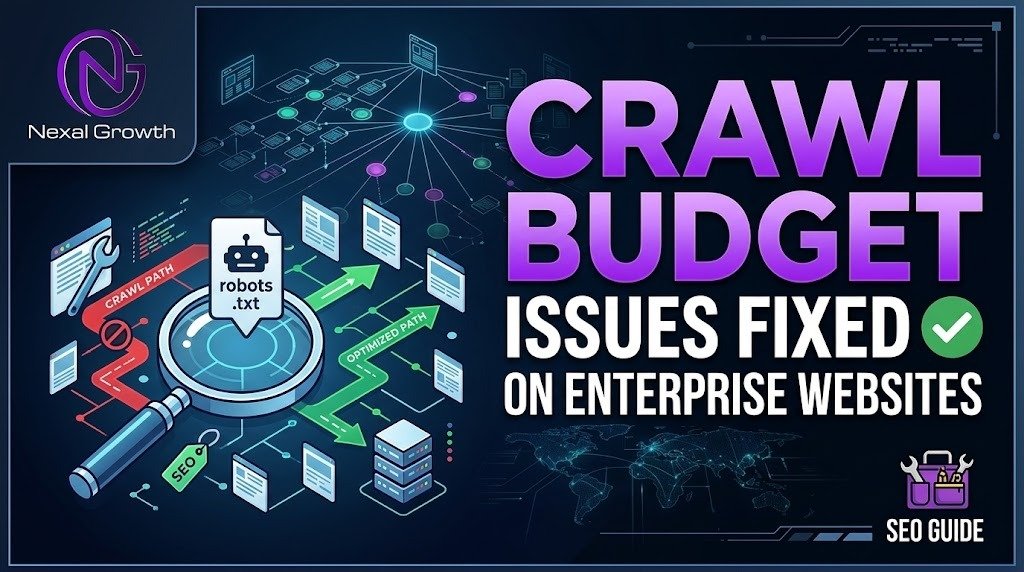
Fixing crawl budget issues on enterprise websites in 5 Steps.

Enterprise search engine optimization is entirely dictated by server limits and indexation capacity. On massive websites containing over one million URLs, up to 77% of pages often receive zero organic traffic. This happens because search engines simply never crawl them.

Googlebot does not have infinite time or resources to spend on your server. Search engines assign a specific allowance—known as a crawl budget—to every domain. This budget is determined by your server’s health and the overall demand for your content. If your site wastes this strict allowance on dead pages or endless parameter loops, the bot leaves.

When the bot leaves early, your high-margin, revenue-driving product pages remain unindexed and invisible to buyers. Fixing this requires bypassing standard SEO plugins and dealing directly with server logs, architecture debt, and code efficiency.

To permanently resolve crawl budget issues, you must stop guessing and start looking at exactly where the bots are getting trapped.

The Audit Phase: Diagnosing Crawl Waste

You cannot optimize a million-page architecture relying solely on Google Search Console. While standard tools provide a helpful overview, they sample data and miss the micro-interactions happening on your server.

You must analyze raw server logs to see the unedited truth. Server logs record every single HTTP request a web crawler makes to your site. Exporting these logs from Apache or NGINX reveals exactly which URLs Googlebot prioritizes and which ones it ignores entirely.

When analyzing logs, you must monitor two crucial metrics. The first is the average bytes downloaded per page. Bloated pages take longer to process, which eats directly into your daily crawl allowance. Lighter HTML means faster crawling.

The second metric is average response time. If your Time to First Byte (TTFB) regularly spikes above two seconds, Googlebot will throttle its crawl rate to avoid crashing your server. You must segment this log data by subfolders to isolate the exact directories causing the slowdown.

Once you isolate the exact directories draining your server resources, you will usually find one of five distinct structural flaws.

5 Enterprise Crawl Budget Killers & The Exact Fixes

Drain 1: Faceted Navigation & Parameter Traps

E-commerce filters for size, color, and price create a massive problem for search bots. Every combination generates a unique URL, creating a near-infinite matrix of pages.

This traps the crawler in endless loops of duplicate content, burning through your budget on useless variations. The fix requires strict rule-setting in your robots.txt file.

You must actively disallow search engines from crawling dynamic sorting parameters. Combine this server-level block with server-side rendered canonical tags pointing back to the primary category URL.

Drain 2: Zombie Pages & Expired Inventory (Soft 404s)

Enterprise retailers frequently harbor hundreds of thousands of out-of-stock or discontinued products. If these dead URLs still return a “200 OK” status, Google wastes immense resources crawling empty inventory.

Allowing bots to process soft 404s trains search engines to view your site as low-quality and poorly maintained. You must implement a strict pruning protocol.

Serve a 410 (Gone) status code for permanently discontinued items. This tells Google to immediately drop the page from its index and stop crawling it. If a product was simply upgraded, use a 301 redirect to pass equity to the active parent category.

Drain 3: Infinite Redirect Chains

Years of CMS migrations, SSL updates, and structural changes often leave a trail of broken links. This creates redirect chains where URL A points to B, which points to C, and finally to D.

Googlebot will generally abandon a redirect chain after three to five consecutive hops. When the bot gives up, your final destination page is left unindexed, and the crawl allowance is wasted on the journey.

You must flatten your internal architecture. Run a database query to find all internal links pointing to legacy URLs. Update the raw code so that internal links point directly to the final 200 OK destination.

Drain 4: Sluggish Server Responses & JavaScript Bloat

Heavy client-side rendering (CSR) forces search bots to work overtime. Bots have to download, parse, and execute heavy JavaScript files just to see your core content.

Rendering JavaScript costs search engines significantly more processing power than reading static HTML. If your server is slow to deliver these resources, the crawl rate plummets immediately.

Implement edge caching through a CDN to serve assets faster. For heavy JavaScript applications, utilize dynamic rendering or server-side rendering (SSR). This ensures bots receive a fully rendered HTML snapshot instantly, bypassing the execution delay.

Drain 5: XML Sitemap Clutter

Your XML sitemap should be a flawless roadmap of your most important pages. Submitting a sitemap bloated with 301 redirects, 404 errors, and non-canonical URLs destroys bot trust.

When Googlebot encounters garbage data in a sitemap, it stops prioritizing that file for discovery. This forces the bot to rely purely on organic crawling, which is highly inefficient for enterprise sites.

Automate your dynamic XML sitemaps at the server level. Configure the system to strictly include only 200 OK, canonicalized, and high-revenue URLs.

Overcoming the Enterprise Bottleneck: Getting Devs to Care

Identifying technical SEO flaws is easy, but getting them fixed is incredibly difficult. Technical SEO recommendations often sit ignored in product engineering backlogs for months.

Development teams prioritize shipping new features over patching backend marketing architecture. To break this bottleneck, SEOs must stop talking about search metrics and start forecasting financial ROI.

Instead of asking developers to fix parameter traps, translate the issue into revenue loss. Pitch the fix logically: plugging a specific architecture leak will reallocate 30% of the crawl budget to priority products.

Forecast that this reallocation will result in a specific percentage lift in indexation, directly leading to an estimated boost in monthly revenue. When tied directly to business outcomes, technical debt gets patched immediately.

While forecasting ROI gets developer attention, executing these highly complex fixes requires dedicated technical oversight.

Stop Wasting Your Crawl Budget: How NexalGrowth Can Help

Enterprise architecture debt is too complex to solve with standard plugins or automated audits. It demands deep technical analysis, server log expertise, and relentless developer collaboration.

Standard web crawlers crash when analyzing millions of URLs. Real remediation requires specialized infrastructure and teams who understand how server environments interact with search algorithms.

At NexalGrowth , we specialize exclusively in solving technical SEO constraints for large-scale websites. We extract and analyze your raw server logs to find exactly where your indexation budget is bleeding.

Our dedicated technical SEO teams act as a direct extension of your company. We bridge the gap between your marketing goals and your engineering team’s sprint cycles, providing ready-to-execute Jira tickets.

Do not let your highest-margin product pages go unindexed due to poor site architecture. Partner with NexalGrowth for a technical SEO audit today, and turn your complex website architecture into a highly profitable competitive advantage.

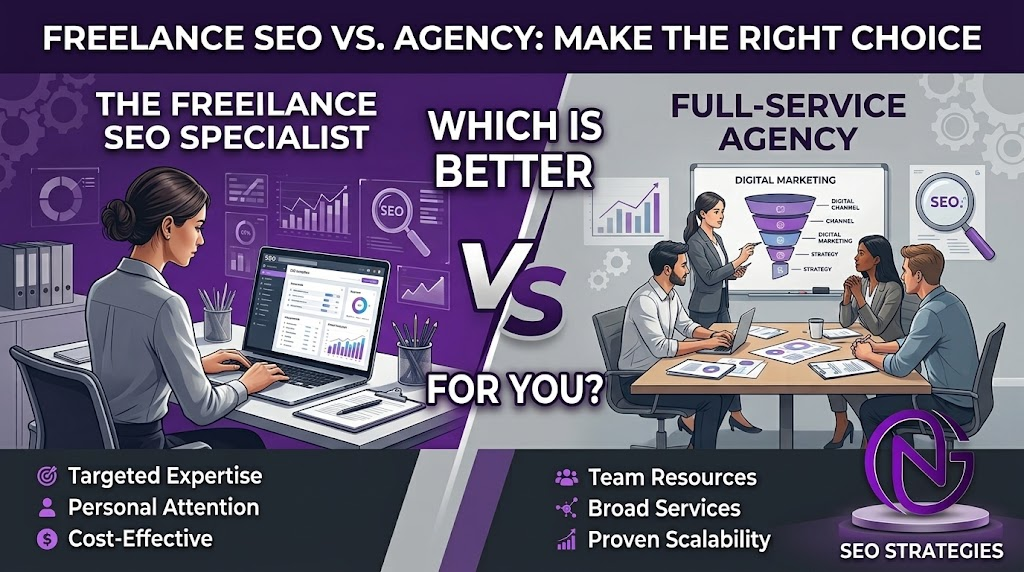
Freelance SEO Specialist vs Full Service Agency: Which Wins?

Many businesses waste their marketing budgets hiring the wrong type of SEO provider. The choice between a freelance SEO specialist and a full-service agency does not come down to who possesses better skills. Instead, it is about matching operational capacity with your company’s growth stage.

If you hire a freelancer for enterprise-level demands, your campaign will inevitably stall. Conversely, hiring a large agency for simple, one-off optimizations drains your budget unnecessarily. The core decision hinges on whether you need a single strategist to direct your efforts or a complete team to execute complex campaigns.

In this guide, we break down execution capability, cost structures, and exact use cases for both models. By the end, you will know exactly which path fits your current revenue and operational constraints.

Let’s look at the foundational differences that dictate these outcomes.

The Core Difference: Execution Capacity & Accountability

The most critical difference between a freelancer and an agency is execution bandwidth. A single person has strict limitations on output. Modern organic growth requires multiple disciplines, including content creation, technical auditing, and digital PR.

The “One-Person Ceiling”

A highly skilled freelance SEO specialist might excel at technical problem-solving but lack the time to build high-authority backlinks. When one person attempts to manage all these tasks simultaneously, quality eventually slips. You might receive an excellent strategy but suffer from poor execution bandwidth.

SLAs and Risk Distribution

Freelancers also represent a single point of failure. If your consultant falls ill or accepts a massive new enterprise client, your campaign stops. An agency distributes this risk across a dedicated team.

Agencies operate on strict Service Level Agreements (SLAs) that guarantee deliverables regardless of individual staff availability. This built-in redundancy ensures your digital marketing strategy never loses momentum.

To see where you can cut costs safely, you must understand when the solo model actually works.

When to Hire a Freelance SEO Specialist (And Save Money)

Freelancers provide excellent value when your project scope is narrow and your budget is tightly constrained. They eliminate the overhead costs associated with large firms, passing those direct savings to you.

Data from industry surveys in 2026 indicates that the average monthly retainer for an SEO freelancer sits around $1,348. In contrast, agency retainers typically start much higher. This pricing structure makes independent specialists ideal for highly specific, short-term optimizations.

Best For

This model works best when you want direct communication without passing through account managers. It also suits companies that already have internal developers and writers ready to execute the strategist’s playbook.

Ideal Scenarios

  • Local visibility setups, such as optimizing a single Google Business Profile.
  • A one-off technical consultation where your internal web developers will write the actual code.
  • Startups operating with marketing budgets strictly under $1,500 per month.

While freelancers save money early on, scaling complex websites requires a fundamentally different approach.

When to Partner with a Full-Service Agency (To Scale Faster)

Agencies solve the exact bottlenecks that cause freelance partnerships to stall. When you manage a complex site or operate in highly competitive national markets, you need aggressive, parallel execution.

Recent data shows that agency retainers average $3,209 per month for small businesses, scaling up to $10,000 or more for mid-market firms. You pay a higher premium because you gain immediate access to a complete operational infrastructure.

Dedicated Specialists

Agencies house technical auditors, content strategists, and link-building experts under one roof. You do not have to spend hours sourcing, vetting, and managing multiple independent contractors.

Enterprise Tool Stack

Proper search engine optimization requires expensive enterprise software. Agencies absorb the monthly overhead of premium tools like Ahrefs, Semrush, and Screaming Frog. This deep data access gets baked directly into your monthly retainer.

Scalability

An agency gives you the ability to double your content output or target new geographical markets instantly. You simply adjust your retainer rather than spending months recruiting new staff.

To determine exactly where your business stands today, evaluate your current internal resources.

The 5-Point Checklist: Which Model Fits Your Business?

Use this diagnostic checklist to identify the precise hiring model for your specific operational situation.

  1. Internal Bandwidth: Do you have internal developers and copywriters ready to execute a freelancer’s technical roadmap? If you lack in-house resources, choose an agency to handle the daily execution.
  2. Market Complexity: Are you targeting a single local city or competing nationally? Local campaigns often succeed with freelancers. National or international campaigns require dedicated agency resources.
  3. Timeline: Do you need rapid, simultaneous progress across content and technical fixes? Agencies execute tasks in parallel. Freelancers usually must sequence tasks step-by-step.
  4. Technical Debt: Does your website suffer from severe algorithmic penalties or complex JavaScript indexation issues? Deep technical problems usually demand an agency-level technical auditing team.
  5. Budget: Is your monthly marketing budget closer to $1,500 or $5,000+? If you cannot spend more than $2,000 monthly, an agency retainer will likely drain your budget without leaving room for actual execution.

Choosing the wrong option often leads to unexpected expenses and administrative headaches down the road.

The Hidden Costs: Why Businesses Outgrow Freelancers

Many businesses initially hire a freelancer for cost savings but eventually hit a critical transition point. They pay a solo consultant for a brilliant strategy, only to realize they lack the internal staff to implement it.

The Transition Point

This mismatch creates a massive operational bottleneck. The strategy sits idle because the business owner does not have time to write articles or fix server issues. You end up paying for advice rather than driving actual organic revenue.

Vendor Fatigue

To solve this execution gap, businesses often start hiring separate freelance writers, link builders, and web developers. Managing this fragmented network of independent contractors consumes hours of administrative time.

Instead of dealing with a unified agency dashboard, the business owner accidentally becomes a full-time project manager. This hidden cost of time often far outweighs the initial financial savings of avoiding an agency fee.

To bypass these hurdles, you need a partner built specifically for scalable execution.

How NexalGrowth Bridges the Gap: Agency Power, Dedicated Attention

Businesses often hesitate to hire full-service agencies because they fear being treated as just another support ticket. At nexalgrowth.com, we solve this exact problem by combining enterprise-level execution with dedicated, personalized attention.

We completely eliminate the operational bottlenecks that stall your organic growth. Our structure gives you access to specialized technical teams, comprehensive auditing, and strategic content creation without the bloated overhead of traditional enterprise firms. We focus strictly on end-to-end execution, ensuring that the customized strategies we develop are actually implemented on your site.

Stop paying for marketing advice that you lack the internal time to execute. Let our dedicated team at NexalGrowth manage and execute your entire search campaign from start to finish. Reach out today for a free technical audit and discover how seamless, scalable operations actually work.