
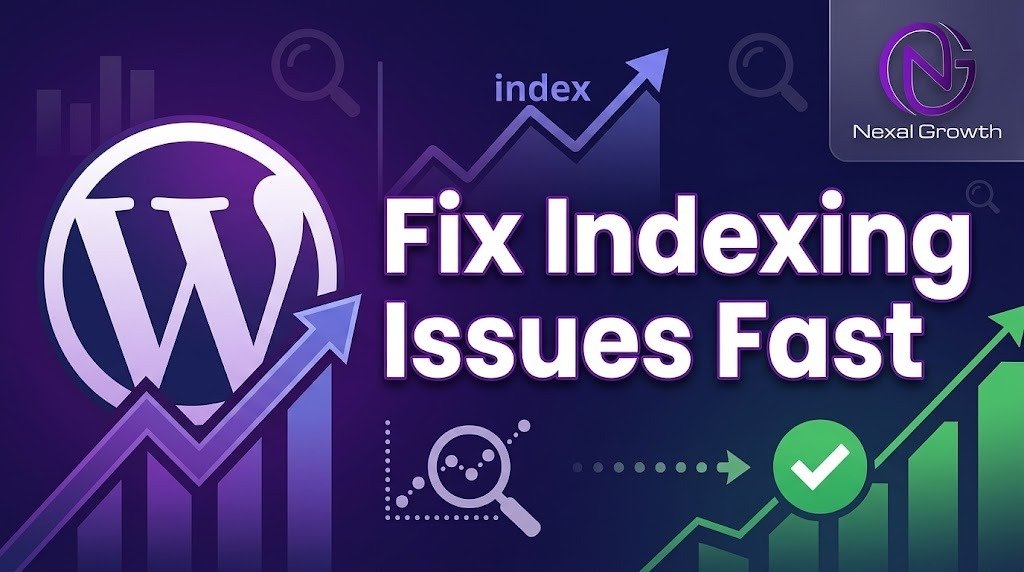
How to Fix Indexing Issues in WordPress Fast (2026 Guide)
If Google isn’t indexing your WordPress site, your content cannot rank, drive organic pipeline, or generate revenue. To fix indexing issues in WordPress fast, verify your Robots.txt and
noindextags, submit an updated XML sitemap via Google Search Console, clear server cache, and use the Google Indexing API or Instant Indexing plugins for rapid page discovery.
Why WordPress Indexing Delays Cost B2B Companies Thousands
For high-ticket B2B SaaS companies and digital agencies, unindexed landing pages directly translate to wasted acquisition budgets and lost revenue pipeline. When search engine bots encounter crawl blocks, canonical errors, or server latency, key product pages sit invisible in search engine results pages (SERPs).
Unindexed URLs impact critical metrics across your growth funnel:
- Decreased Organic Visibility: Zero SERP exposure yields zero organic traffic.
- Inflated Customer Acquisition Cost (CAC): Over-reliance on paid channels to make up for lost organic leads.
- Reduced Lifetime Value (LTV) Efficiency: Delayed indexing postpones return on investment (ROI) from high-value content production.
Resolving indexing bottlenecks quickly ensures search crawlers allocate crawl budget efficiently toward high-converting pages.
Step-by-Step Framework to Fix WordPress Indexing Issues Fast
Follow this structured protocol to diagnose, resolve, and prevent crawling and indexing failures across your WordPress website.
Diagnose Failure (Search Console) ➔ Remove Crawl Blocks ➔ Fix Technical Tags ➔ Force Re-Indexing
Step 1: Diagnose Indexing Status in Google Search Console
Before applying fixes, pinpoint the exact error status inside Google Search Console (GSC) under Pages > Indexing.
- Discovered – currently not indexed: Search crawlers found the URL, but crawling it would overload the site or the crawl budget was exhausted.
- Crawled – currently not indexed: Google crawled the page but decided the content was low quality, duplicate, or lacked sufficient site architecture signals.
- Excluded by ‘noindex’ tag: A meta tag or HTTP header actively blocks search engines from indexing the page.
Step 2: Remove Blockers in Robots.txt and WordPress Settings
One mistake in your site configuration can inadvertently block an entire site from search results.
- Check WordPress Reading Settings: Navigate to Settings > Reading in your WordPress dashboard. Uncheck the ‘Discourage search engines from indexing this site’ box to allow Google to crawl and index your WordPress pages.
- Audit Your Robots.txt File: Access
[yourdomain.com/robots.txt](https://yourdomain.com/robots.txt)and verify that critical directories are not blocked. Look for and remove rules such as:
HTTP
User-agent: *
Disallow: /
Replace overly restrictive rules with clean, crawl-friendly instructions:
HTTP
User-agent: *
Allow: /
Sitemap: https://yourdomain.com/sitemap_index.xml
Step 3: Eliminate Meta noindex Tags and Canonical Conflicts
Search plugins like Yoast SEO, Rank Math, or SEOPress sometimes apply global noindex rules by default on custom post types or taxonomy pages.
- Inspect the page source (
Ctrl + UorCmd + Option + U) and search for:
HTML
<meta name="robots" content="noindex, follow">
- If present, open your SEO plugin settings on that post or page and switch the Robots Meta setting to Index.
- Verify your Canonical Tag: Ensure the
<link rel="canonical" href="..." />points directly to the self-referencing URL and not to an unindexed parameter or draft page.
Step 4: Submit Clean XML Sitemaps and Force Instant Indexing
Once technical blockers are cleared, prompt search crawlers to re-evaluate your URLs immediately:
- Generate a clean XML sitemap using your preferred SEO plugin.
- Submit the sitemap link directly inside Google Search Console > Sitemaps.
- Use the URL Inspection Tool in GSC to inspect the affected URL and click Request Indexing.
- For fast indexation of high-priority pages, configure the Google Indexing API via the Rank Math Instant Indexing plugin to notify Google’s crawlers within minutes.
Traditional Fixes vs. The Nexal Growth Fast-Index Strategy
| Technical Diagnostic Area | Traditional / Standard Approach | Nexal Growth High-Velocity Framework |
| Discovery Protocol | Manual sitemap resubmission; passive waiting (7–21 days) | Google Indexing API integration for near-instant crawl requests (<24 hrs) |
| Crawl Budget Optimization | Basic robots.txt edits | Advanced crawl path pruning, orphan page cleanup, & internal link hubs |
| Content Quality Signal | Surface-level word count additions | Entity SEO enrichment, schema markup, and dynamic internal link networks |
| Monitoring & Tracking | Occasional GSC checks | Automated log file analysis and programmatic indexation tracking |
Frequently Asked Questions (PAA)
How long does it take for Google to index a WordPress page after fixing errors?
Standard re-indexing via Google Search Console can take anywhere from 2 to 14 days. However, utilizing direct API indexing tools or pushing live updates via an optimized XML sitemap can accelerate indexing to within 1 to 24 hours.
Can low-quality content prevent WordPress pages from being indexed?
Yes. Google increasingly enforces quality filters like “Crawled – currently not indexed” on thin, duplicate, or AI-generated pages lacking original insight. Elevating the depth, E-E-A-T signals, and internal linking structure of the page resolves this issue.
Why does my WordPress site keep getting indexed and then dropped?
This indexation fluctuation typically indicates canonical tag conflicts, unstable server responses (5xx errors), or thin content penalties. Conducting an in-depth technical SEO audit quickly isolates these underlying server and architecture anomalies.
Turn Unindexed Pages into Organic Revenue
Don’t let technical WordPress issues suppress your search rankings and slow down your lead pipeline. At Nexal Growth, we help high-growth SaaS brands, digital agencies, and B2B enterprises eliminate crawl inefficiencies, scale indexation, and drive predictable revenue.
👉 Ready to unlock your site’s true search potential? Claim Your Free Technical SEO & Indexation Audit at Nexal Growth today, and let our growth specialists optimize your web architecture for maximum visibility.



0 Comments
Leave a reply